
How to change the cover on an unlocked song
Open an unlocked song and select Cover. Choose a JPG, PNG or WebP image up to 4 MB, check the square preview and select Save cover.
In this guide
Open Cover
Go to Songs, open the recording and select Cover.
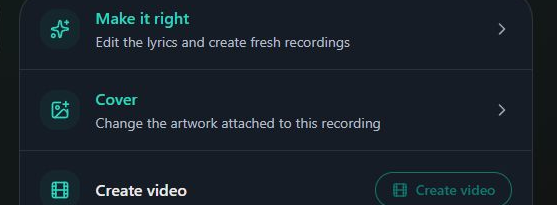
- Marker 1: Open Cover
- Marker 1: Open Cover
Choose a new image
Select Choose a new image, or Choose an image if none is set. Use a JPG, PNG or WebP file up to 4 MB.
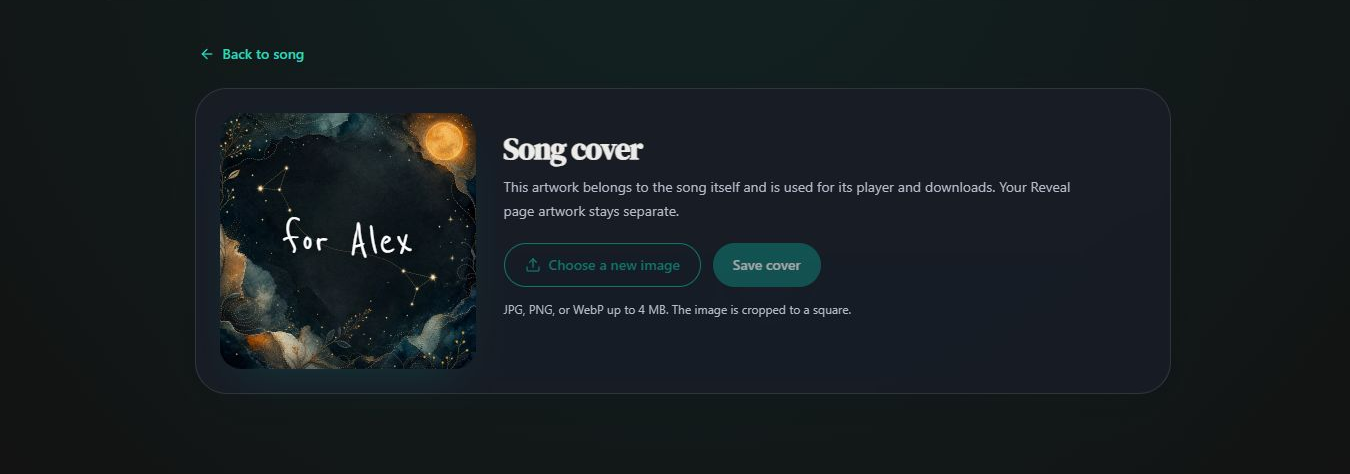
- Marker 1: Choose a new image
- Marker 1: Choose a new image
Check and save it
The image is cropped to a square. Check that the important part is visible, then select Save cover and wait for the success message.
- Marker 1: Save cover
- Marker 1: Save cover
Download again if you need the new artwork
A file already saved on your device keeps its existing artwork. Download a new copy after updating the cover.


Checked