
How to add, arrange and crop reveal photos
Open Edit reveal page and choose Photo. Use Add photos, then tap a small photo to edit it in the large frame. The first photo is the cover; the others follow in your chosen order during the song.
In this guide
Add your photos
On Photo, select Add photos and choose one or more pictures. You can have up to 30. Use JPG, PNG, WebP or GIF files, up to 8 MB each. If your phone gives you an HEIC file, use a JPG or PNG copy.
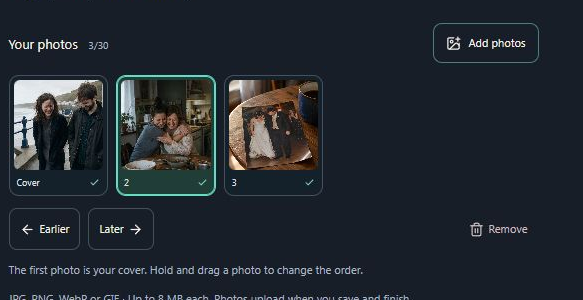
- Marker 1: Add photos
- Marker 1: Add photos
Choose a photo to edit
Tap its small card below the large frame. That photo now appears in the frame. Your changes apply only to the selected photo.
- Marker 1: Select a photo to edit
- Marker 1: Select a photo to edit
Fit it in the frame
Use Fill frame to fill the space, or Whole photo to show the complete picture. Drag the large photo to move it and use Zoom to make it larger. Reset centers it and returns zoom to its starting size.
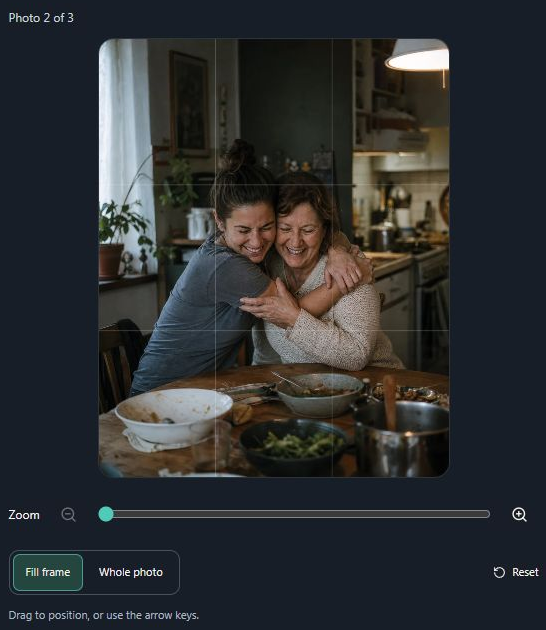
- Marker 1: Zoom in or out
- Marker 2: Show the whole photo
- Marker 1: Zoom in or out
- Marker 2: Show the whole photo
Change the order
Hold a small photo and drag it to its new place. Or tap a photo, then use Earlier or Later. Move the one you want as the cover to the first position.
- Marker 1: Move the selected photo earlier
- Marker 2: Move the selected photo later
- Marker 1: Move the selected photo earlier
- Marker 2: Move the selected photo later
Remove or replace a photo
Tap the photo, then select Remove. To replace it, use Add photos for the new picture and move it into place. Removing a photo here does not delete it from your phone.
- Marker 1: Remove the selected photo
- Marker 1: Remove the selected photo
Save and check the slideshow
Continue to Review and select Save and finish. Keep the page open while photos upload. Open the reveal link and play the song to check the photo order and each crop.
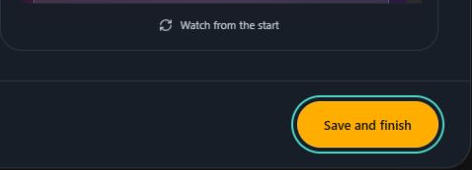
- Marker 1: Select Save and finish
- Marker 1: Select Save and finish


Checked