
How to make a QR card for your song gift
Finish your reveal page, then open Share with QR on its sharing page. Choose a card design and download the PDF for printing or PNG for sending.
In this guide
Save the reveal first
Finish your reveal page with Save and finish. The QR code will open this saved gift.
Choose the card
On the reveal sharing page, open Share with QR. Select the card design you want.
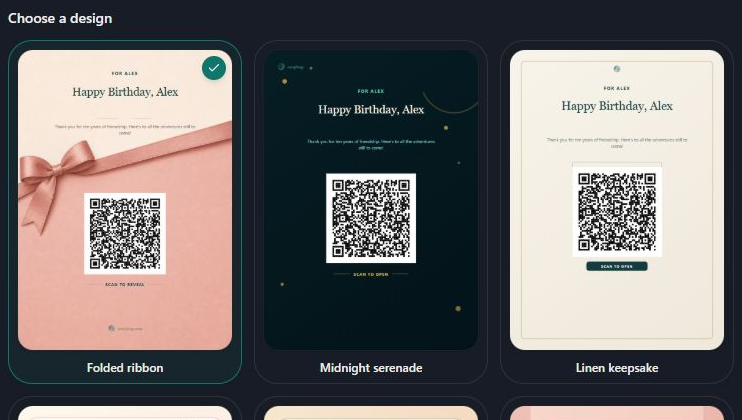
- Marker 1: Choose a QR-card design
- Marker 1: Swipe and choose a QR-card design
Add the card details
Fill in To, From, Card title and Short message. Use Accent color if you want to change the accent.
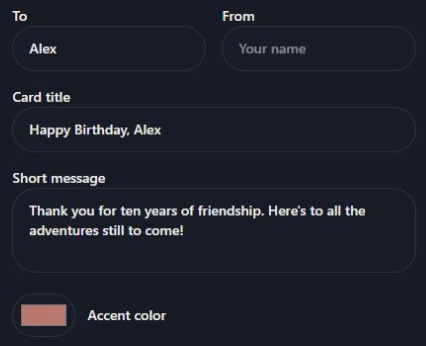
- Marker 1: Fill in To and From
- Marker 2: Add a title and short message
- Marker 3: Choose an accent color
- Marker 1: Fill in To and From
- Marker 2: Add a title and short message
- Marker 3: Choose an accent color
Choose the paper size
Under PDF & print size, choose 5 × 7 for card printing. A5, A4 and Letter place the same 5 × 7 inch card in the middle of larger paper; they do not enlarge the card.
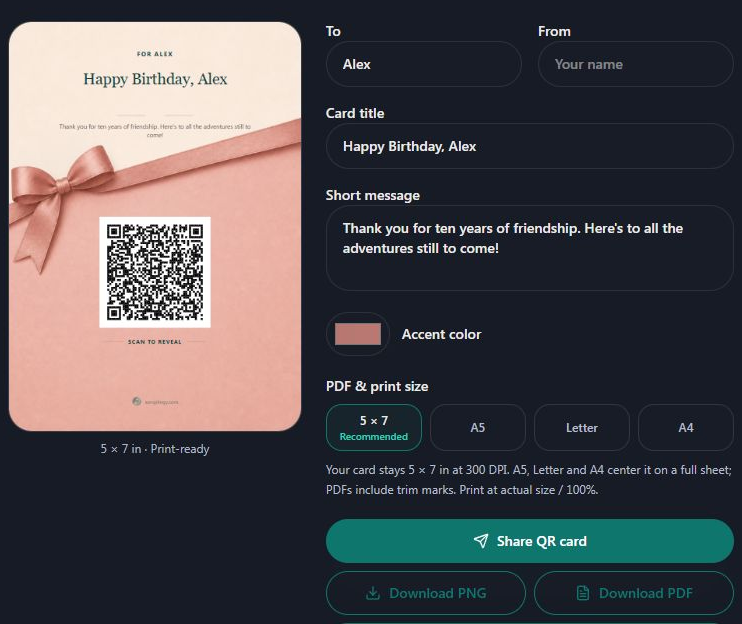
- Marker 1: Choose the paper size
- Marker 1: Choose the paper size
Download and print
Select Download PDF for a print shop or to print later. Print card opens your browser's print options. Use matching paper and Actual size or 100% in the printer settings.
- Marker 1: Download the printable PDF
- Marker 1: Download the printable PDF
Send the card as an image
Select Share QR card and choose a messaging or email app. If your device downloads the image instead, attach it to your message. Download PNG also saves a copy you can send later.
Scan the finished card
Point your phone camera at the printed QR code and tap the link that appears. Check it opens the right gift before giving the card. Keep the white border around the code clear.
If the code will not scan
Try brighter light, hold the phone steady and move it a little closer or farther away. Check that the printed code is sharp and not cropped or stretched. Try the reveal link directly to separate a print problem from a page problem.
Fix a reveal that will not open


Checked