
What if the recipient cannot open or hear the reveal?
First check that you sent the recipient link from Share with link. A dashboard or editor link will not open the gift for someone else.
In this guide
It asks them to log in
A dashboard, editor or preview address is not the gift link. Open Manage reveal → Reveal page if asked → Share with link. Copy that link and send it instead.
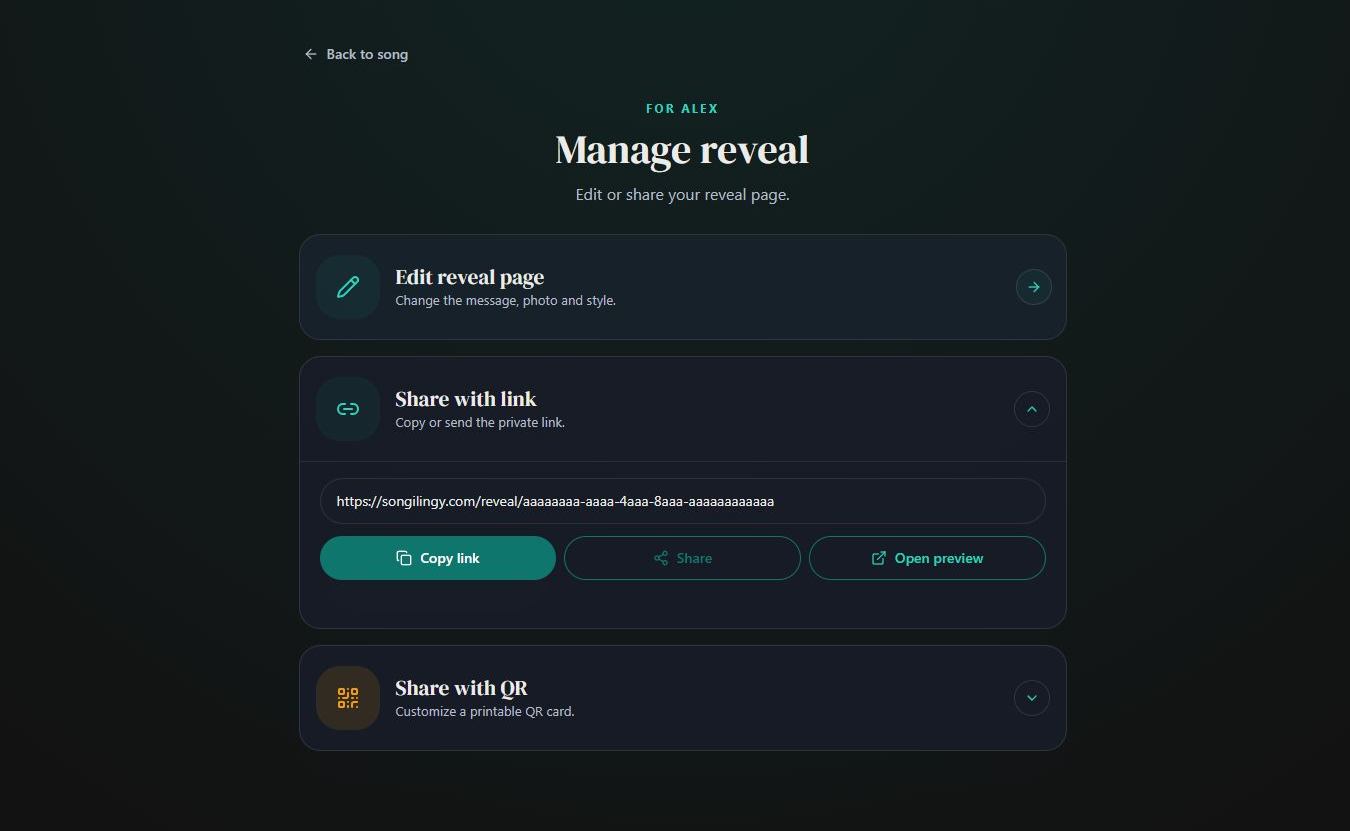
- Marker 1: Copy link
- Marker 1: Copy link
They see the old message or photos
Go back to the editor, choose Review and select Save and finish. Wait for success, then reopen the recipient link. A private draft or preview has not updated the gift yet.
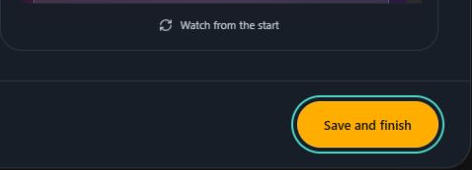
- Marker 1: Select Save and finish
- Marker 1: Select Save and finish
The gift opens but there is no sound
Tap to open the gift, then press play if needed. Check the device volume, internet connection and any Bluetooth speaker or headphones. Try Safari or Chrome if the page opened inside a social app.
The QR card will not scan
Use a clear, uncropped print with space around the code. Try the copied reveal link directly. If the link works, check the printing and scanning steps.
Check your QR cardThe problem continues
Send support the song title, the reveal link, the error or what happened, and the recipient’s device and browser. Do not send your password.
Contact support


Checked