
How to choose a revised song or return to the original
Your original stays in Your song versions alongside completed revisions. Select Use this version on the recording you want. It becomes the song’s current version and plays through your existing reveal link.
In this guide
Open Your song versions
In Songs, open the song and scroll to Your song versions. Listen to the Original and the completed new recordings.
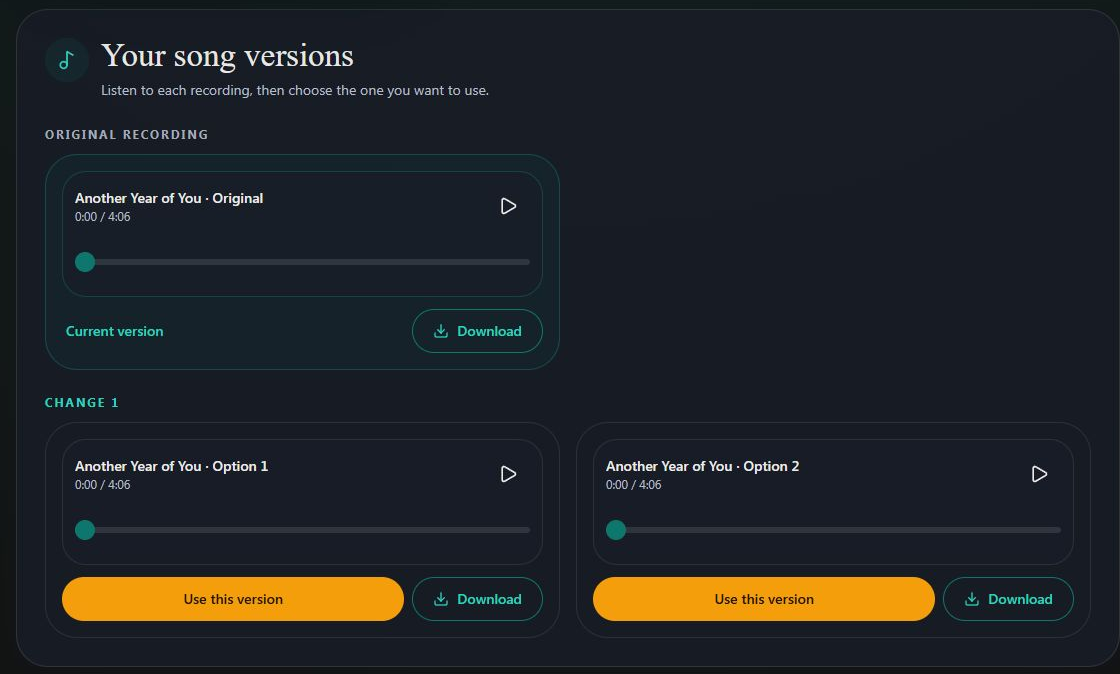
- Marker 1: Play your original recording
- Marker 2: Play revised Option 1
- Marker 3: Play revised Option 2
- Marker 1: Play your original recording
- Marker 2: Play revised Option 1
- Marker 3: Play revised Option 2
Choose a recording
Select Use this version on your favourite. Check that it is now marked Current version. To go back, use the same button on Original.
- Marker 1: Keep this revised recording
- Marker 1: Keep this revised recording
Check the shared gift
Open your reveal link and play it. The link stays the same, so people using an existing link or printed QR card will hear your current choice. Refresh a page that was already open.
Save the file you want
Download song follows the current version. Each recording also has its own download button for that exact version. Files already saved or sent stay as they were; download and send a new file if needed.

Checked