
Create a song with your own lyrics
Choose “I have my own lyrics” when you already have the words. We sing them exactly as written, and you can check them again before the music is made.
Open song creator
In this guide
Add your lyrics
Open Create and choose “I have my own lyrics”, or open Turn lyrics into a song. Paste your words in “Your lyrics” — you'll see roughly how long the song will run — and add a song title if you like.
Use your own lyrics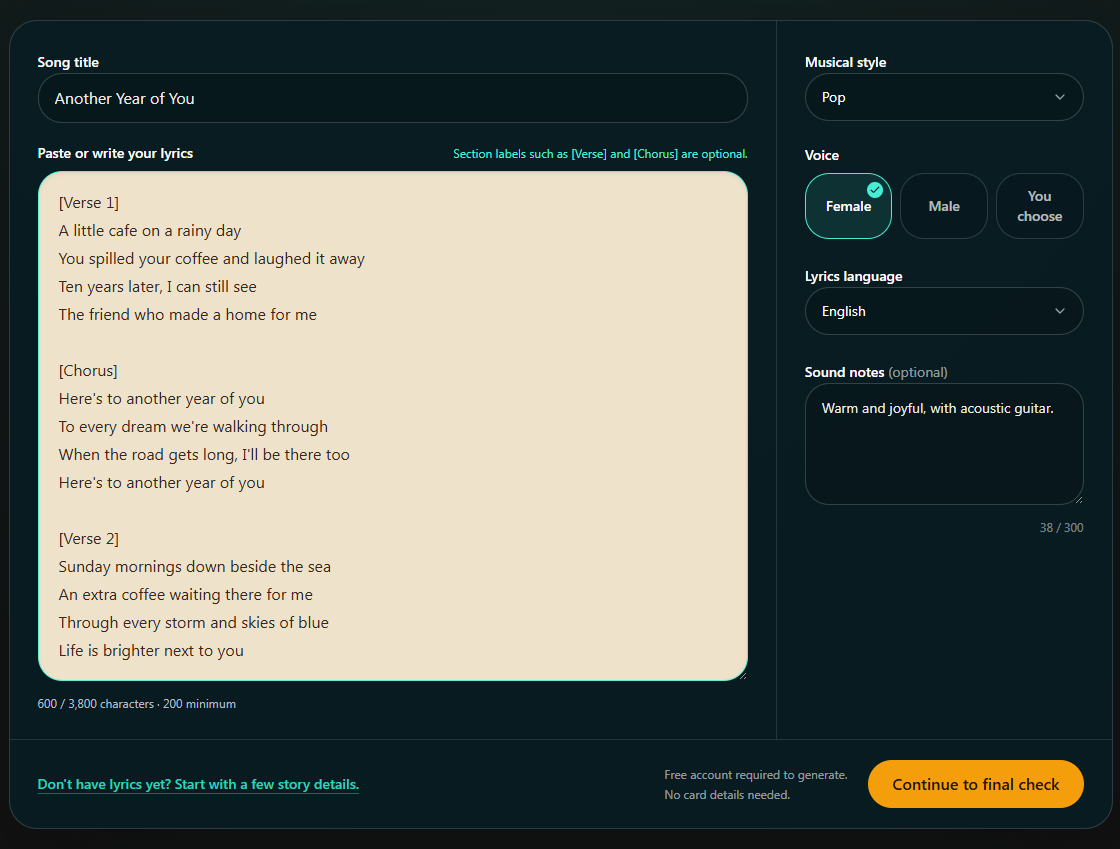
- Marker 1: Enter the song title
- Marker 2: Paste your lyrics
- Marker 1: Enter the song title
- Marker 2: Paste your lyrics
Choose the sound
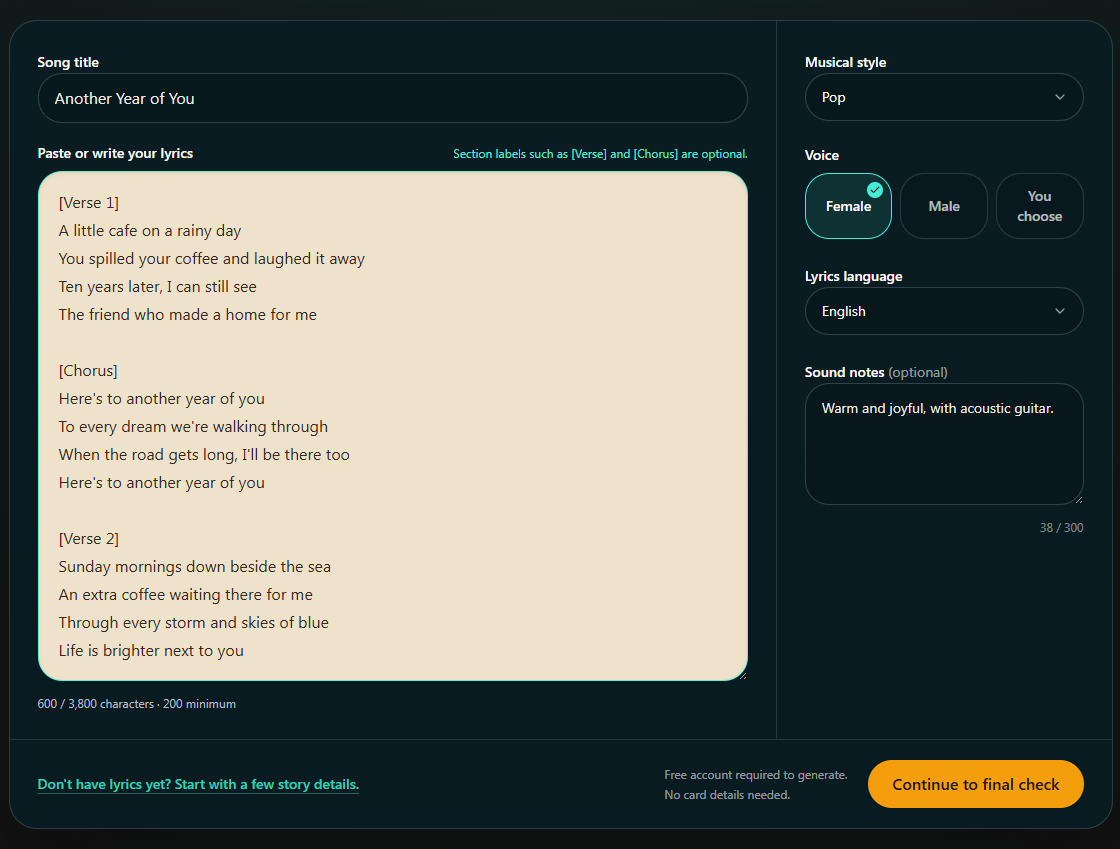
Pick a genre, who should sing it and the language, and what the song is for if you like. Use “How should it sound?” for any mood or instruments you want. Select Next: Preview your song.
- Marker 1: Say what it's for (optional)
- Marker 2: Choose who should sing it
- Marker 3: Say how it should sound
- Marker 4: Go to the next step
- Marker 1: Choose who should sing it
- Marker 2: Say how it should sound
- Marker 3: Go to the next step
Check the words and create your samples
Check your lyrics and “The sound we picked”; you can still edit the words. Select Create two free song previews, then sign in or create a free account if asked.
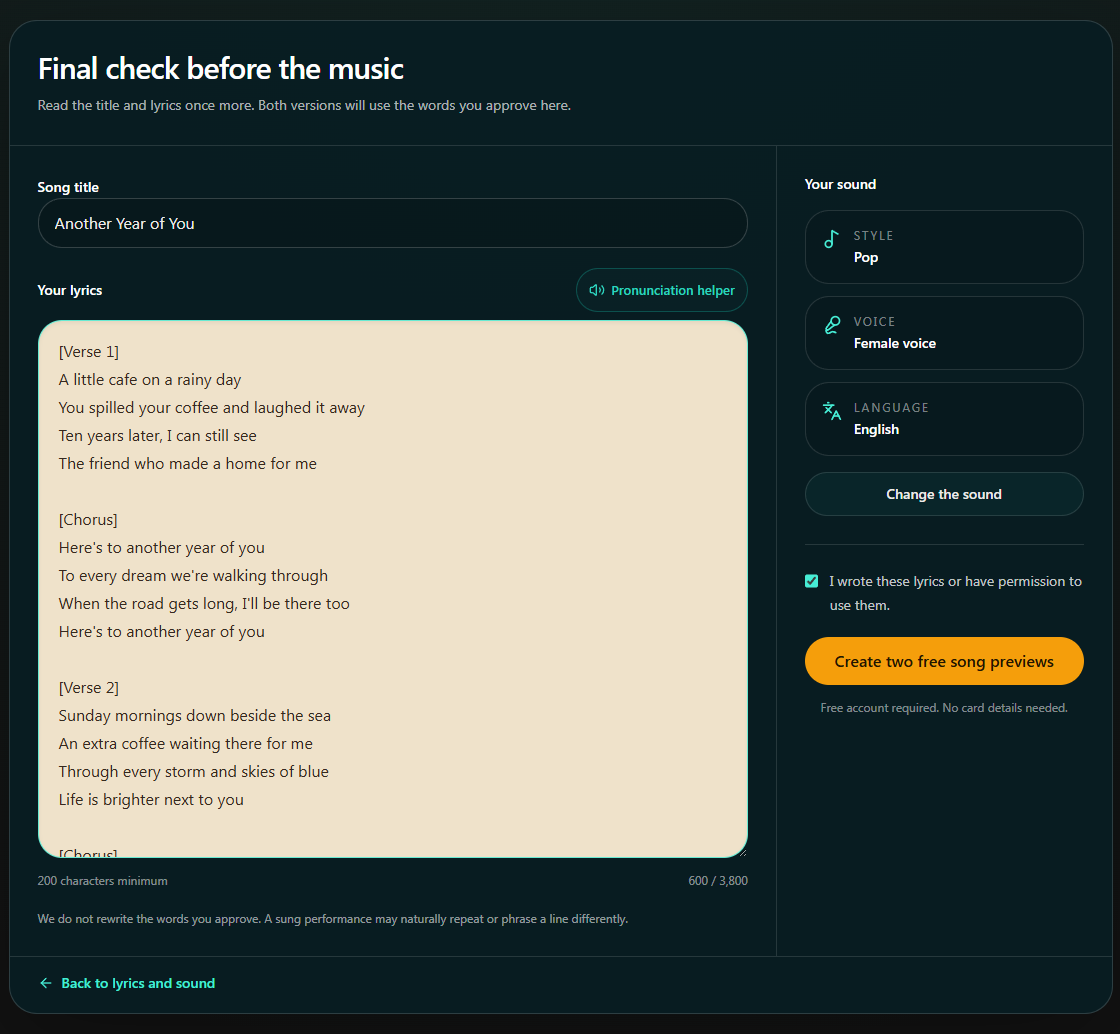
- Marker 1: Check the sound we picked
- Marker 2: Check your lyrics
- Marker 3: Create both versions
- Marker 1: Check the sound we picked
- Marker 2: Check your lyrics
- Marker 3: Create both versions


Checked