
Use the pronunciation helper before making your song
The pronunciation helper suggests a spelling based on how a word sounds. Copy it into your lyrics yourself before creating the song.
Open song creator
In this guide
Open the pronunciation helper
On the lyrics review page, select Pronunciation helper beside Lyrics. You can also find this button above the memories box.
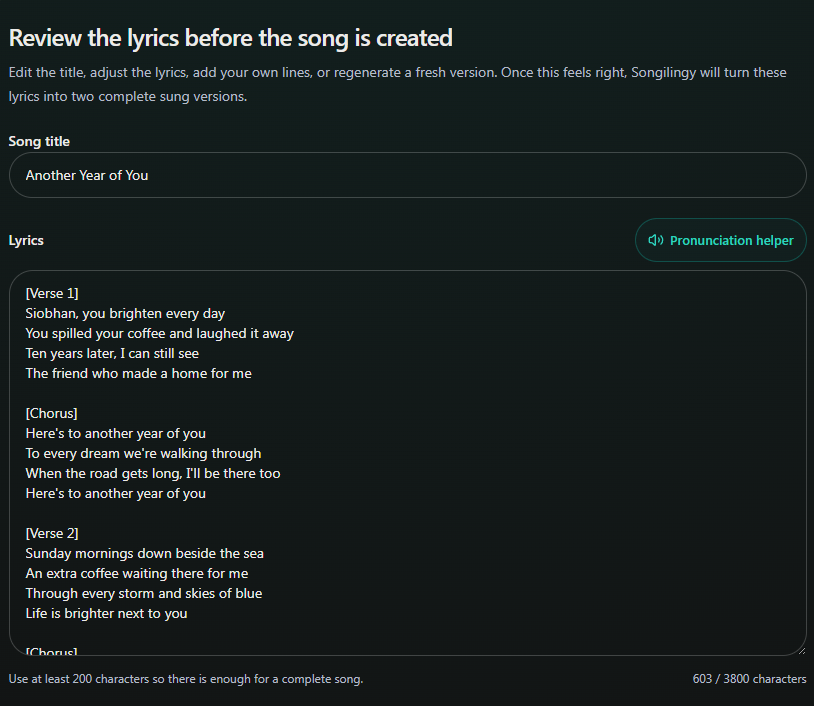
- Marker 1: Open Pronunciation helper
- Marker 1: Open Pronunciation helper
Enter the name or word
Type one name or word into Word, then select Show pronunciation. Wait for the suggested spelling to appear.
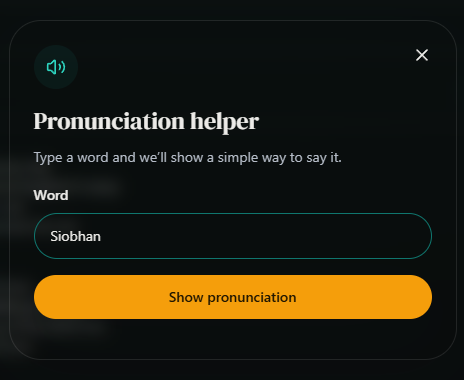
- Marker 1: Type the name or word
- Marker 2: Get a suggested spelling
- Marker 1: Type the name or word
- Marker 2: Get a suggested spelling
Copy the suggested spelling
Read the suggestion under Try spelling it like this. Select Copy pronunciation, then close the helper with the X.
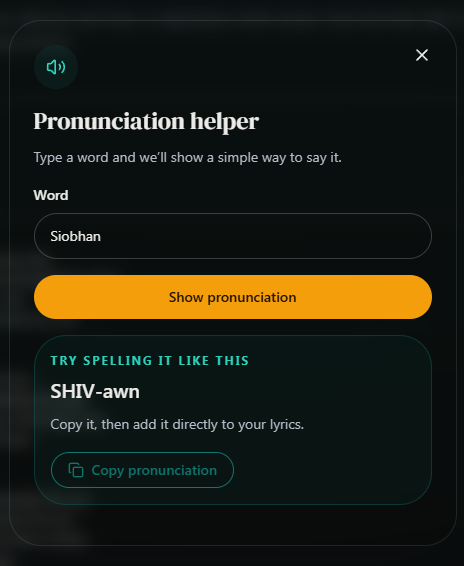
- Marker 1: Read the suggested spelling
- Marker 2: Copy the suggested spelling
- Marker 3: Close helper
- Marker 1: Read the suggested spelling
- Marker 2: Copy the suggested spelling
- Marker 3: Close helper
Put the spelling into the lyrics
In Lyrics, replace the name or word with the spelling you copied wherever it needs changing. Opening the helper alone does not change your lyrics.
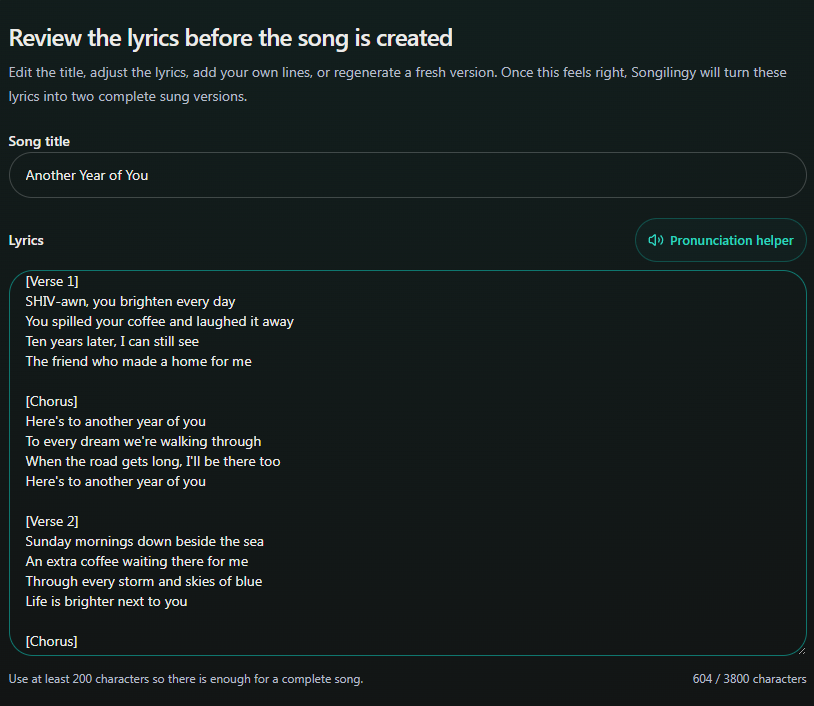
- Marker 1: Replace the name with SHIV-awn
- Marker 1: Replace the name with SHIV-awn


Checked