
How to choose and unlock a song
Listen to both previews, choose the recording you love and unlock it for $29.99. It is a one-time payment with no subscription.
In this guide
Choose your recording
Open the song in Samples and play both versions. Under your choice, select Love this version — Unlock $29.99.
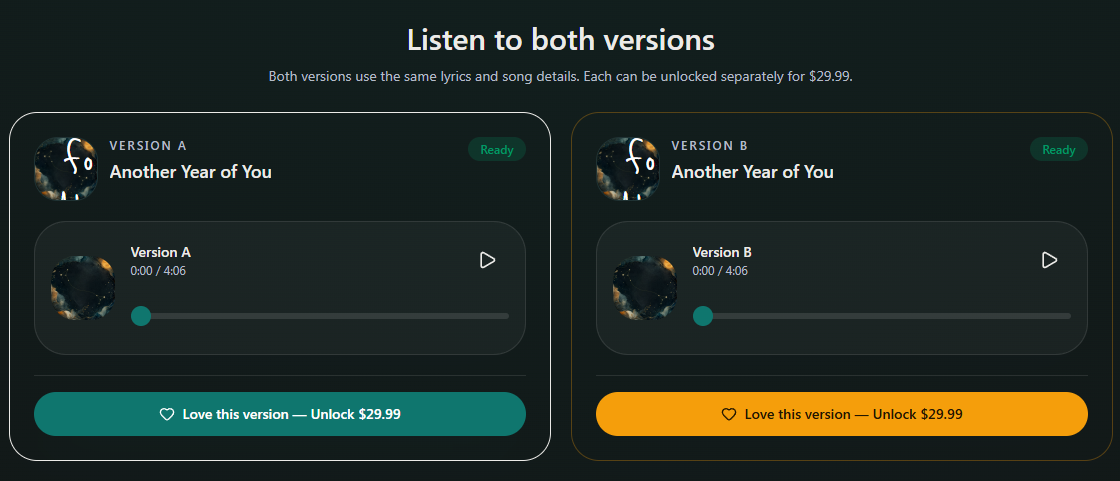
- Marker 1: Choose Version A to unlock
- Marker 2: Or choose Version B to unlock
- Marker 1: Choose Version A to unlock
- Marker 2: Or choose Version B to unlock
Finish the cover and note
If the button says Save your note to continue, select Save note under Prepare your gift. Wait for any cover generation or upload to finish.
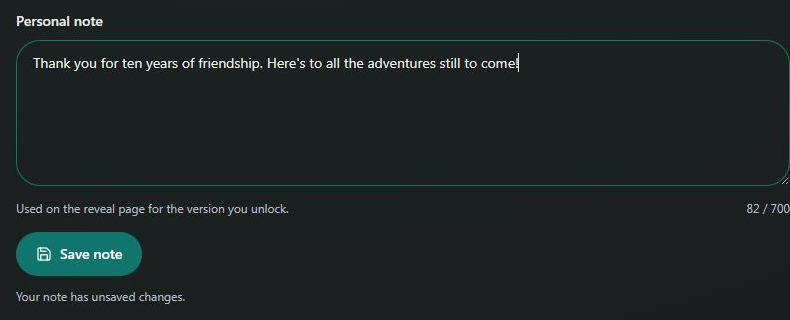
- Marker 1: Write your personal note
- Marker 2: Save your note
- Marker 1: Write your personal note
- Marker 2: Save your note
Check your choice and pay
The popup says Your song, ready to give. Check the recording and included gifts, then select Unlock my song — $29.99. Review the total and complete checkout.
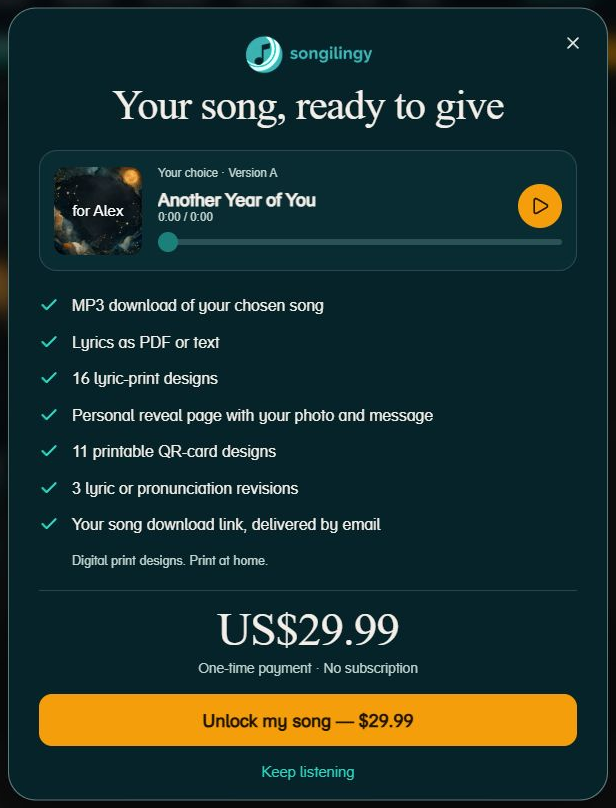
- Marker 1: Continue to secure checkout
- Marker 2: Return to your samples
- Marker 1: Continue to secure checkout
- Marker 2: Return to your samples
Open Songs
After payment, return to Dashboard → Songs and open your song. You also receive a delivery email. If payment succeeded but the song is missing, follow the recovery guide before paying again.
Find a missing purchase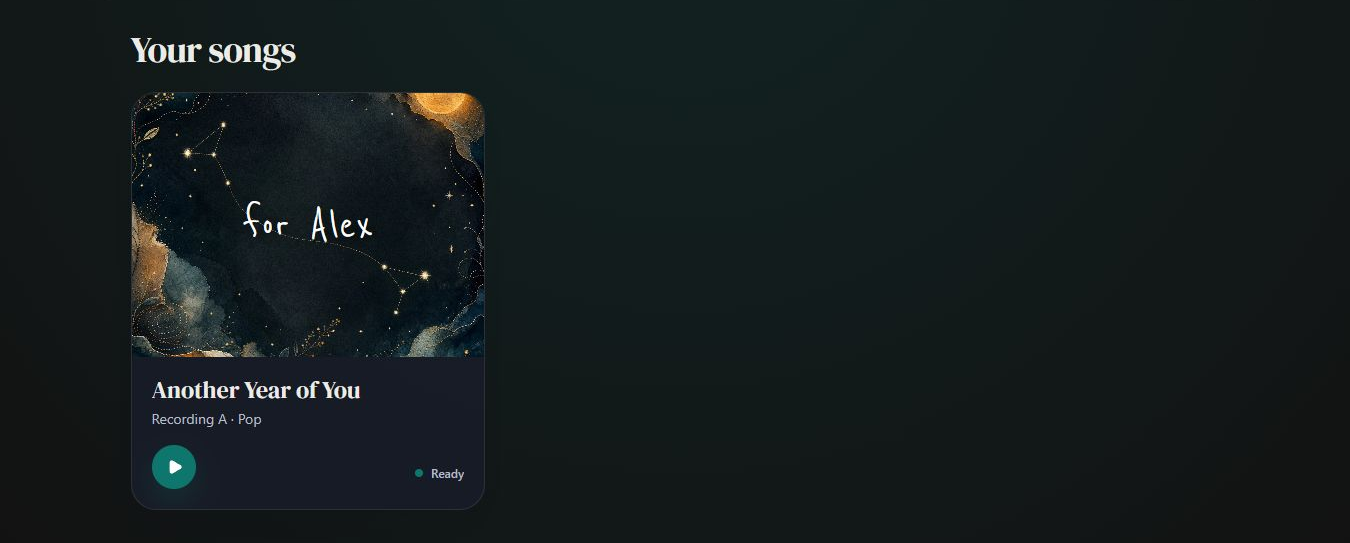
- Marker 1: Open Another Year of You
- Marker 1: Open Another Year of You


Checked