
How to fix a name's pronunciation after buying
You can correct pronunciation after purchase using one of the song's three included Make it right changes. Use Pronunciation helper, replace the difficult word in the lyrics with the suggested spelling, then create two new recordings.
In this guide
Open Make it right
In Songs, open your purchased song and choose Make it right. Check the changes remaining.
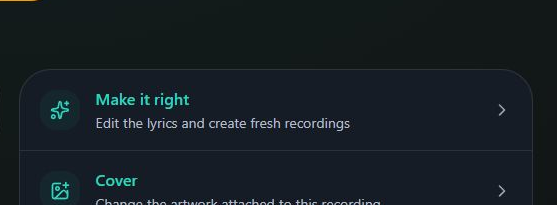
- Marker 1: Open Make it right
- Marker 1: Open Make it right
Ask for a spelling
Select Pronunciation helper. Enter the name or word in Word, then select Show pronunciation.
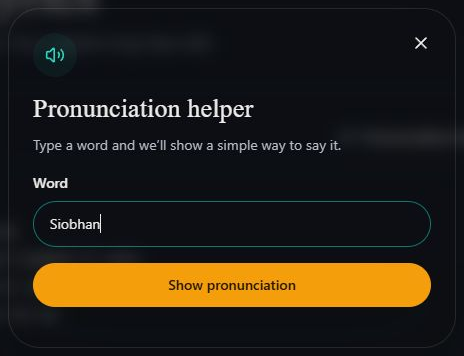
- Marker 1: Type the name or word
- Marker 2: Get a suggested spelling
- Marker 1: Type the name or word
- Marker 2: Get a suggested spelling
Copy the suggestion
Under Try spelling it like this, select Copy pronunciation. Close the helper with the X.
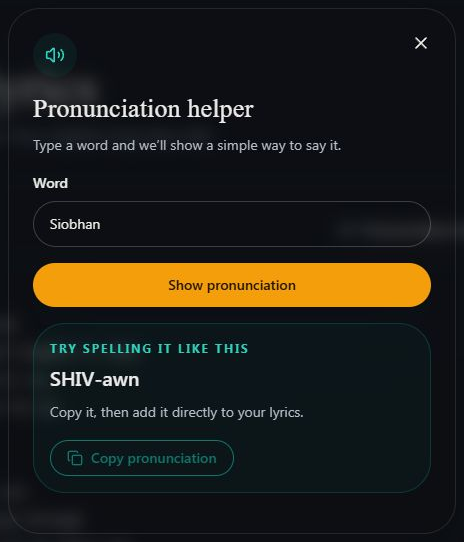
- Marker 1: Copy the suggested spelling
- Marker 1: Copy the suggested spelling
Change the lyrics
Replace the name with that spelling everywhere it is sung, including repeated choruses. The helper does not change the lyrics for you. Read the rest of the words before continuing.
Create the new recordings
After editing the lyrics, select Create two new versions and wait for the recordings to finish. The button becomes available when the lyrics have changed.
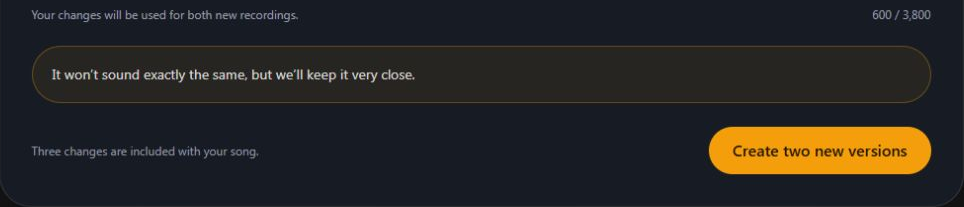
- Marker 1: Create two new versions
- Marker 1: Create two new versions
Listen and choose
Listen to the name in both new recordings. Select Use this version on your choice, or keep your original.
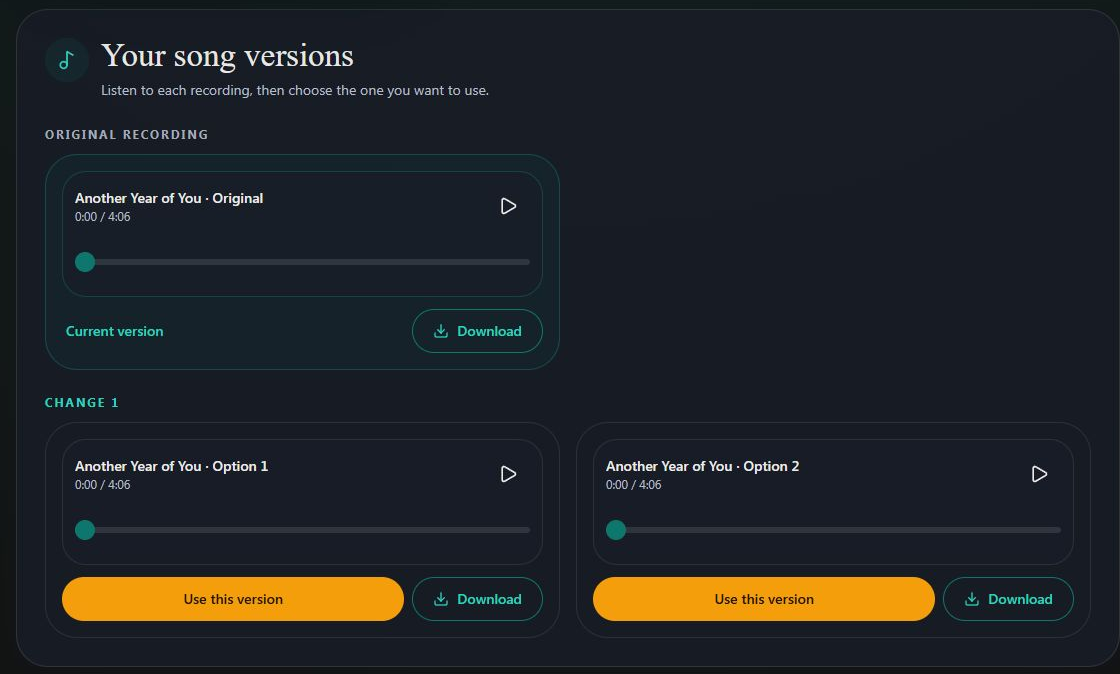
- Marker 1: Keep this revised recording
- Marker 1: Keep this revised recording


Checked