
Choose the music style, voice and language
The sound page comes after the recipient's details. Choose the kind of music they enjoy, then select a voice and language.
Open song creator
In this guide
Pick a genre
Select a style such as Pop or Country. Select Show more genres if you do not see the one you want.
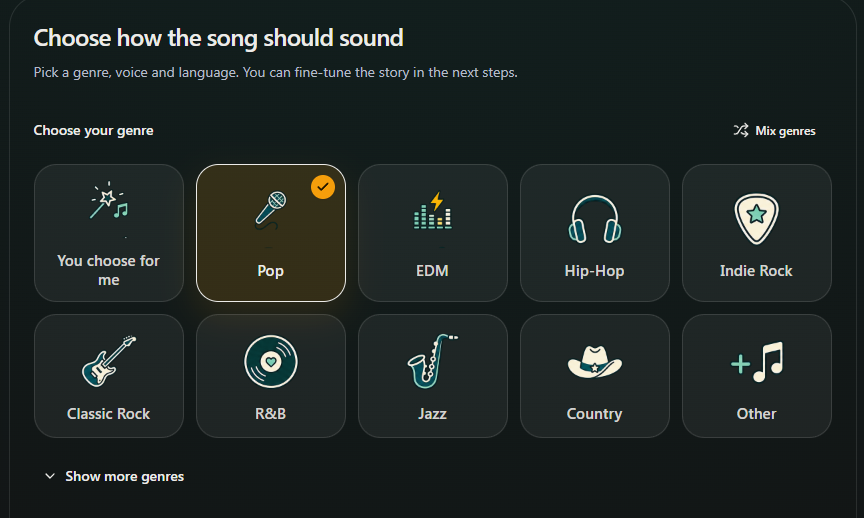
- Marker 1: Choose a genre
- Marker 2: See more music styles
- Marker 1: Choose a genre
- Marker 2: See more music styles
Mix styles if you want
Select Mix genres, then choose up to four styles. Skip this if you want just one genre.
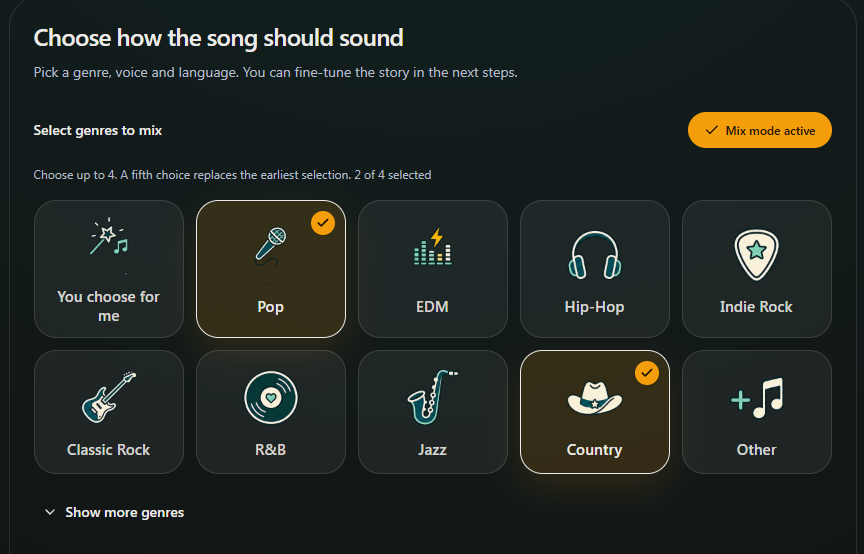
- Marker 1: Turn on Mix mode
- Marker 2: Choose the first music style
- Marker 3: Choose the second music style
- Marker 1: Turn on Mix mode
- Marker 2: Choose the first music style
- Marker 3: Choose the second music style
Use Other for a different sound
If your style is not listed, select Other and describe it in Your genre or style. For example: gentle acoustic folk with piano.
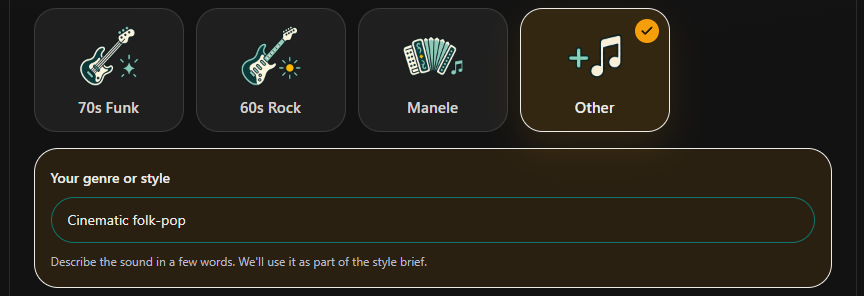
- Marker 1: Choose Other
- Marker 2: Describe your style
- Marker 1: Choose Other
- Marker 2: Describe your style
Choose the voice and language
Under “Who should sing it?”, choose Female singer, Male singer or You choose for me, then choose the song's language. Select Next: Add the story to continue.
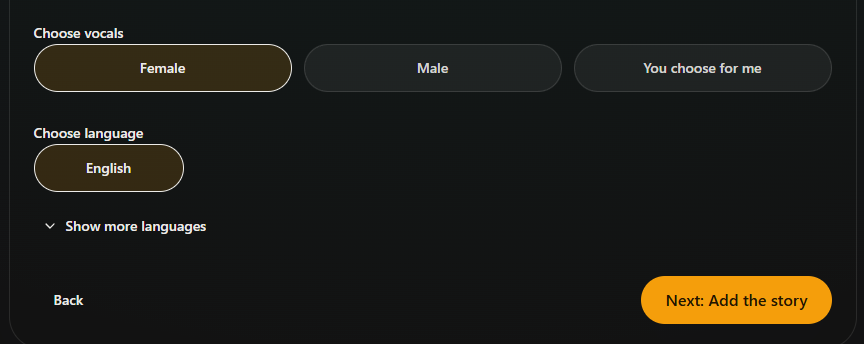
- Marker 1: Who should sing it?
- Marker 2: Choose language
- Marker 3: Go to the next step
- Marker 1: Who should sing it?
- Marker 2: Choose language
- Marker 3: Go to the next step


Checked